
Short answer: AI automation helps small businesses stop missing leads by catching the inquiries you’d otherwise never hear about — after-hours calls, messages that arrive while you’re busy, and forms that would sit unread — then capturing, organizing, and routing them to the right person to follow up. Used responsibly, it doesn’t replace your team or make big decisions on its own. It handles the repetitive capture-and-route work and keeps a real person accountable for the response.
The most expensive leads aren’t the ones you lose to a competitor’s pitch. They’re the ones you never knew existed — the call that rang out at 6:40 p.m., the form filled in on a Sunday, the message that came in mid-job. This article explains how AI automation closes that gap, and where the human absolutely has to stay in charge.
The problem: leads leak when no one’s available
Every small business has coverage gaps. You’re on a job, it’s after hours, or three calls come in at once. In those moments, a would-be customer doesn’t wait — they call the next business on the list. The lead isn’t “lost” in any dramatic way. It just quietly never becomes a conversation.
What “AI automation” actually means here
It’s easy to picture something sci-fi. In practice, for a local business, it’s a few focused helpers doing specific, repetitive jobs. Searchooli builds these around your real workflow:
- An AI Secretary — organizes incoming information and routes it to the right place so nothing sits unseen.
- An AI Phone Receptionist — answers when you can’t, captures who’s calling and why, and makes sure it turns into a follow-up rather than a missed call.
- An AI Virtual Assistant — handles repetitive back-and-forth like basic questions and appointment coordination, escalating anything that needs a human.
None of these are meant to be you. They’re meant to make sure the work reaches you.
How it works, step by step
The pattern is deliberately simple, and it always ends with a person:
- Capture. An inquiry arrives — a call, a form, a message — including the ones outside business hours.
- Understand. The relevant details are pulled together: who, what they need, how to reach them.
- Route. It goes to the right person with the context attached, not into a general inbox no one watches.
- Create a task. A follow-up reminder is created so the lead is actually acted on.
- A human decides. The real judgment — the quote, the advice, the “yes” or “no” — stays with a person.
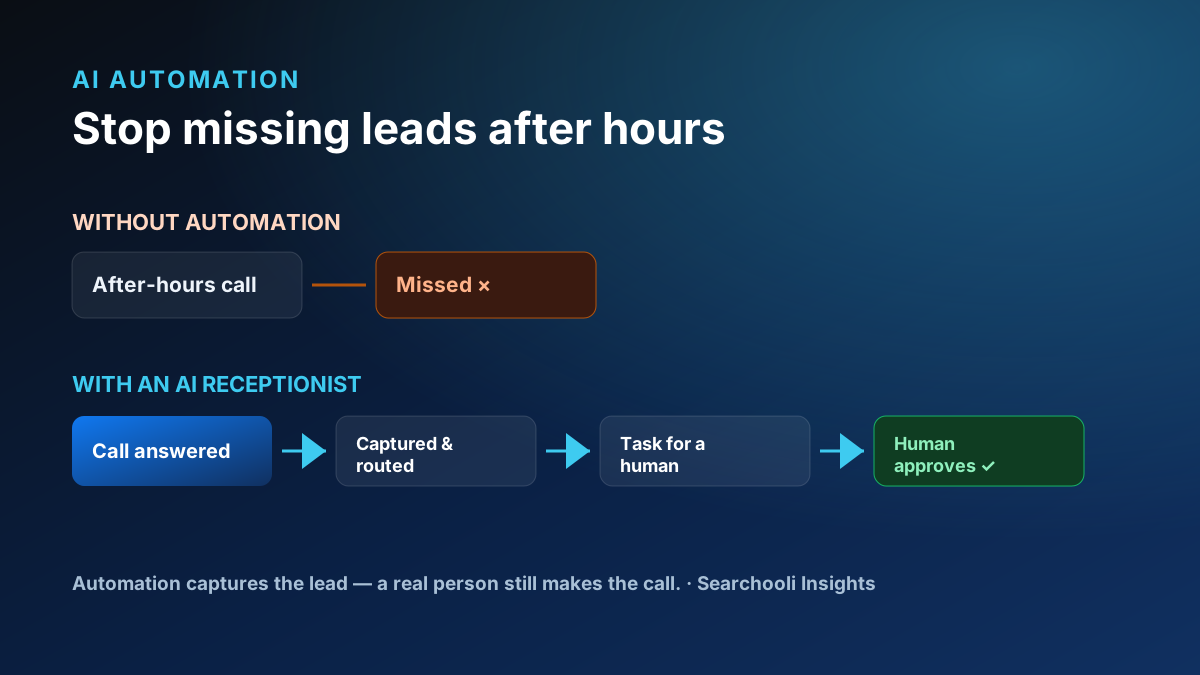
Automation should capture the lead. A real person should still make the call.
What to automate — and what not to
This is where responsible automation earns its trust. A good rule: automate the repetitive, low-judgment work; keep the human work human.
Good candidates to automate
- Answering and capturing after-hours calls and messages
- Collecting basic details from a new inquiry
- Routing a lead to the right person with context
- Creating follow-up reminders so nothing is dropped
- Coordinating appointment times
- Answering simple, repetitive questions
And the things that should stay with a person:
- Quotes, pricing, and promises.
- Advice that depends on judgment or your reputation.
- Anything sensitive, unusual, or emotionally charged.
- The final decision on how to help a specific customer.
Automation supports employees — it doesn’t replace judgment
There’s a lot of overheated talk about AI “replacing” staff. That’s not how a well-run small business should use it, and it’s not how Searchooli builds it. The realistic win is quieter and more valuable: your people stop losing time to missed messages and repetitive triage, and spend it on the work only they can do — the actual service, and the conversations that close.
We won’t make exaggerated claims about labor savings, revenue, or response times, because those depend entirely on your business. What we can say honestly is this: capturing a lead you would otherwise have missed is strictly better than missing it — and doing it without adding to your team’s load is the whole point.
Capture is only half the job
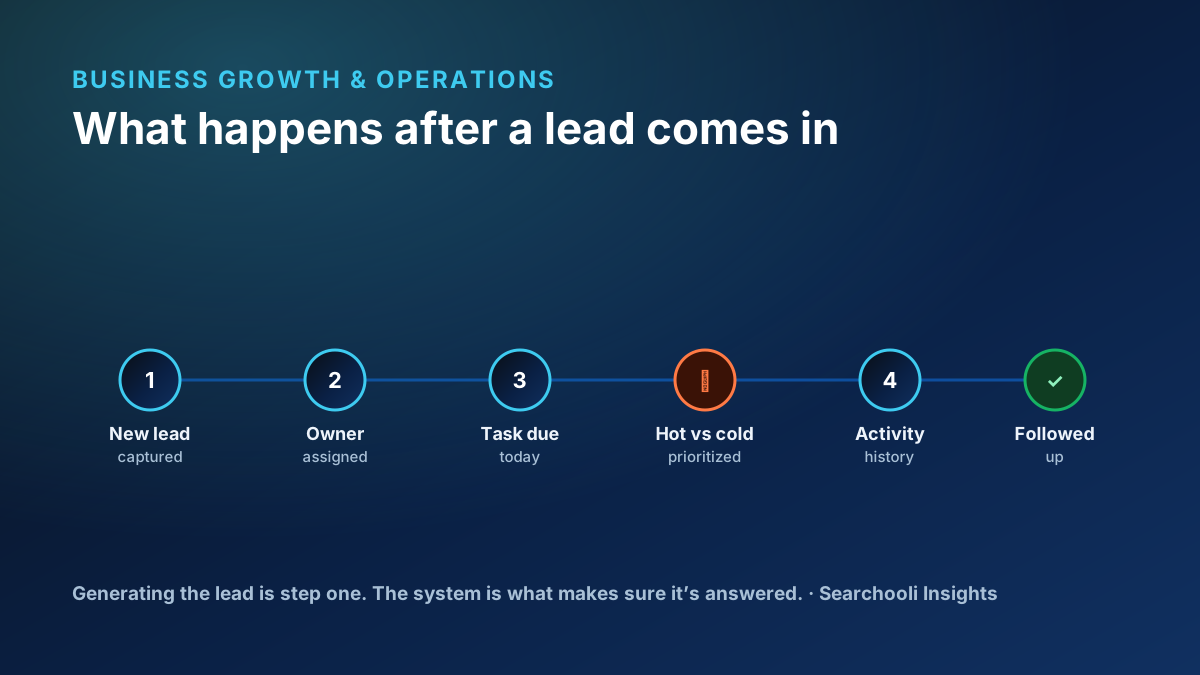
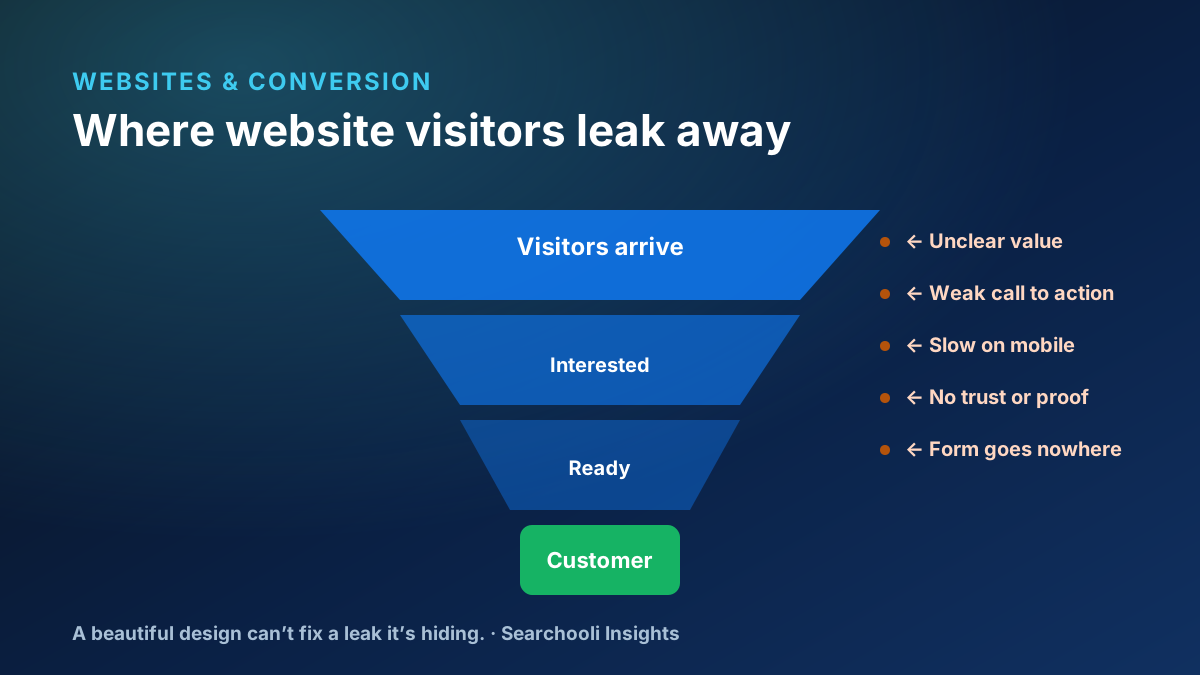
Catching a lead is worthless if it then sits in a system nobody works. That’s why Searchooli connects automation to a real follow-up system rather than a dead-end inbox. On our own platform, DailyFlo, a captured lead becomes a tracked record with an owner and a follow-up task, so a person actually responds — we’ll spare you the internal plumbing, and we won’t invent numbers about it. The principle is what matters: capture and follow-up are one connected system, not two disconnected tools. We go deeper on that in the follow-up system most small businesses are missing, and on why a website has to connect to that system too.
How to start — without overcommitting
The biggest mistake businesses make with automation is trying to automate everything at once, then trusting none of it. A calmer, safer path builds confidence one step at a time.
- Find your worst leak first. Where are you most likely losing inquiries — after-hours calls, a form nobody checks, a phone that rings during every job? Start there, because that’s where the return is biggest and clearest.
- Automate capture before conversation. The lowest-risk, highest-value first move is simply making sure inquiries get caught and routed, even when you can’t answer. You’re not letting a machine sell — you’re letting it take a message and hand it off.
- Keep a human checkpoint. For anything beyond capture, insert an approval step: the automation drafts or suggests, a person confirms. As trust builds, you’ll know exactly which steps are safe to let run and which should always pause for a human.
- Watch it for a few weeks. Treat the first month as a supervised trial. Review what it captured, what it routed correctly, and what it escalated. Adjust before expanding.
- Expand only what’s earned trust. Add the next automated task only once the current one is reliably doing its job. Slow and trustworthy beats fast and fragile.
This staged approach is exactly how we roll it out: capture first, human approval on the judgment calls, and expansion only where it’s proven itself. Nothing goes live that a real person hasn’t validated.
Where Searchooli fits
Our AI Automation work is built around your real workflow, with a human staying accountable for every meaningful decision — that’s a principle we don’t bend (more on our approach). Automation, a website that captures leads, and a follow-up system that works are pieces of one connected whole; browse more in AI Automation.
The honest bottom line
You don’t need AI to run your business for you. You need it to stop letting good leads slip away when you can’t get to the phone — and to hand each one to a real person who can help. Capture more, drop fewer, and keep the human judgment exactly where it belongs.